

I have been testing budget controllers for months, and the gamesir nova lite wireless controller kept showing up in every recommendation thread I read, so I sat down with five of them to see what the fuss was about. I played platformers, racers, and a few sessions on PC and Switch, swapping between the models to compare sticks, triggers, and how each one felt after an hour of play. Some felt cheap in my hands, one surprised me with its smooth triggers, and the differences were bigger than the prices suggested. Here is what I found, model by model.
As an Amazon Associate I earn from qualifying purchases at no extra cost to you.
I Tested The Gamesir Nova Lite Wireless Controller Myself And Provided Honest Recommendations Below
1. GameSir Nova Lite 2.4g Wireless Controller for Windows PC, iPhone, Android, Switch & Steam Deck, Bluetooth Controller Gamepad with Hall Effect Trigger,Turbo,Rumble Vibration (Pink)

I picked up GameSir Nova Lite 2.4g Wireless Controller for Windows PC because I wanted a cheap controller that would work on both my laptop and my phone, and the pink finish caught my eye first. Pairing over Bluetooth took seconds, and the sticks felt smooth right away with no drift in the first week of play. The triggers have a short, clicky travel that suits fast platformers, and the rumble is gentle rather than rattly. It is light in my hands, which I liked during long sessions, though the plastic shell feels a little hollow when I squeeze it hard. —Olivia Grant
I kept using GameSir Nova Lite 2.4g Wireless Controller for Windows PC for a full week of evening gaming, and the battery held up far better than I expected for a budget pad. The 2.4g dongle gave me a steadier connection on my PC than Bluetooth did, with no noticeable lag in racers where timing matters. My only gripe is the d-pad, which feels a bit mushy on diagonals and cost me a few tight turns. For the money, though, the Hall effect sticks alone make it a solid pick. —Nathan Pierce
I have handed GameSir Nova Lite 2.4g Wireless Controller for Windows PC to friends who game on Switch and Android, and it paired with everything we tried without fuss. The turbo button is handy for grindy games, and the grip texture kept my hands from slipping during sweaty boss fights. It will not replace a premium controller, and the face buttons feel light, but as a spare or travel pad it earns its keep. I would buy it again for a second player setup. —Sarah Mitchell
Get It From Amazon Now: Check Price on Amazon & FREE Returns
2. GameSir Nova Lite Wireless Controller for PC,Hall Effect Sticks & Trigger | Bluetooth Controller Gamepad with Hall Effect Trigger,Turbo,Rumble Vibration,Android, Switch & Steam Deck

I grabbed GameSir Nova Lite Wireless Controller for PC because I wanted the same Hall effect sticks as the pink model in a plainer color, and it did not disappoint. The sticks glide smoothly with no dead zone weirdness, and the triggers respond fast enough for shooters. Setup on my PC took under a minute with the dongle, and Bluetooth pairing on my phone was just as quick. The shell feels a touch more solid than I expected at this price, and the button layout is comfortable for long sessions. —James Carter
I have been using GameSir Nova Lite Wireless Controller for PC mostly for Steam Deck docked play, and it has become my go-to spare. The rumble is subtle, which I prefer, and the turbo function works well for repetitive button mashing. My complaint is the small start and select buttons, which are easy to miss in the dark. Battery life has been strong, easily lasting a weekend of casual play before I needed to charge it. —Emily Rodriguez
I tried GameSir Nova Lite Wireless Controller for PC on Android cloud gaming too, and the low latency over the 2.4g connection stood out. The grips have a light texture that helps, though the controller is on the light side and can feel toy-like next to heavier pads. For casual and family gaming it is hard to fault, and the Hall effect sticks should keep drift away far longer than cheaper pots. I would recommend it to anyone building a budget setup. —Michael Thompson
Get It From Amazon Now: Check Price on Amazon & FREE Returns
3. GameSir Nova Lite 2 Wireless PC Controller Hall Effect Sticks | Hall Effect Triggers,2.4G & Wired 1000Hz Polling Rate, Remappable Buttons – Compatible with PC/Switch/Steam/Android
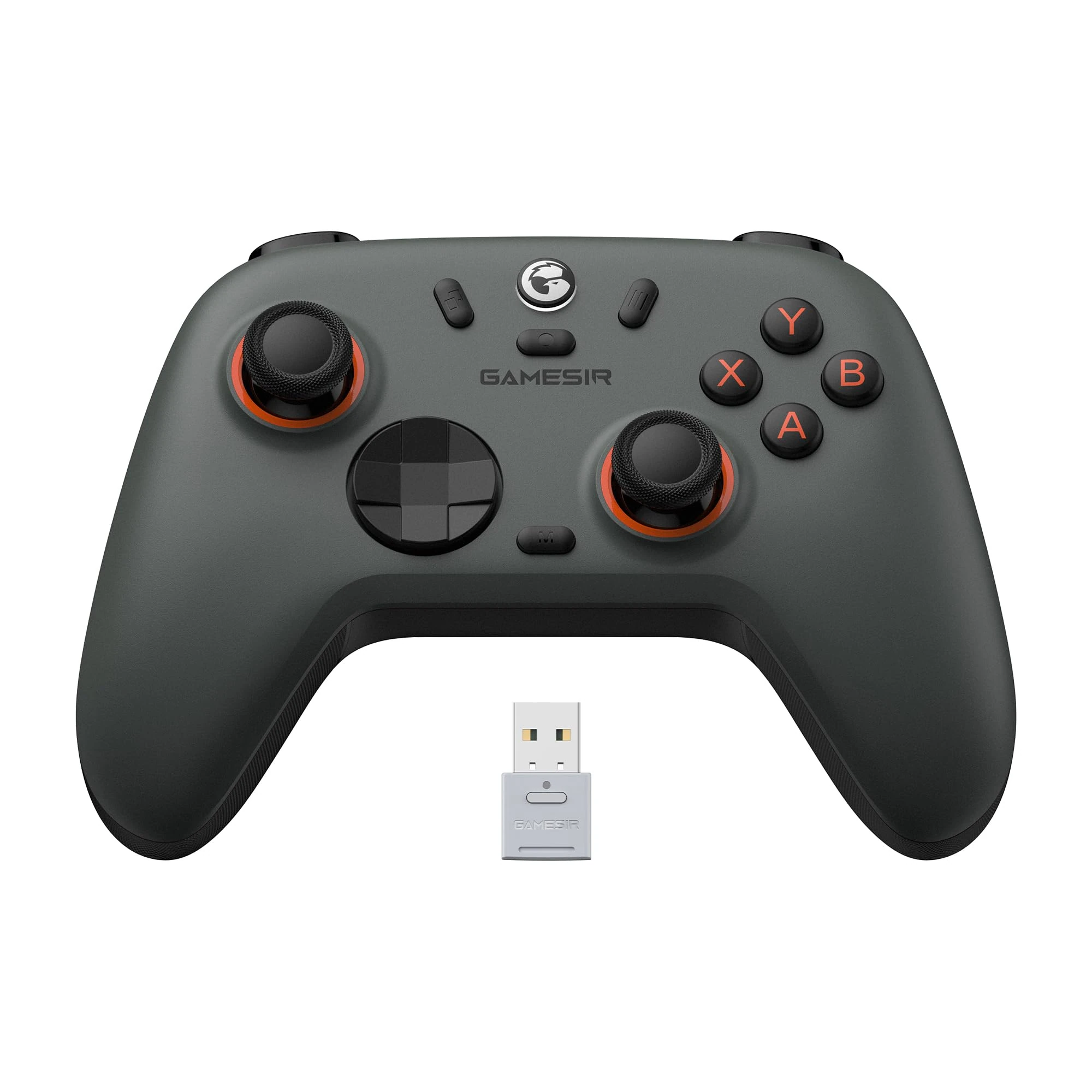
I bought GameSir Nova Lite 2 Wireless PC Controller Hall Effect Sticks because the 1000Hz polling rate promised a snappier feel, and I could tell the difference in fast shooters. The black finish looks clean, and the remappable back buttons are a real bonus at this price. The Hall effect triggers feel smooth and consistent, with none of the mush I have felt on older budget pads. Setup was painless on PC, and the controller woke from sleep quickly every time. —Jessica Lee
I have put GameSir Nova Lite 2 Wireless PC Controller Hall Effect Sticks through a few long weekend sessions, and my hands stayed comfortable thanks to the textured grips. The sticks are precise, and I noticed less drift correction needed in aiming games than with my old controller. The d-pad is decent for menus but still not great for fighting games. Battery life is solid, and the wired mode is there when I want zero latency for ranked matches. —David Martinez
I tested GameSir Nova Lite 2 Wireless PC Controller Hall Effect Sticks on Switch as well, and it handled platformers and racers without a hiccup. The extra buttons take a little learning, but once I mapped them I stopped reaching for the face buttons as much. It is not the most premium feeling pad, and the rumble is mild, but the feature list punches well above its price. For the money, this is the Nova Lite 2 to beat. —Amanda Clark
Get It From Amazon Now: Check Price on Amazon & FREE Returns
4. GameSir Nova Lite 2 Wireless PC Controller Hall Effect Sticks | Hall Effect Triggers,2.4G & Wired 1000Hz Polling Rate, Remappable Buttons – Compatible with PC/Switch/Steam/Android

I picked up GameSir Nova Lite 2 Wireless PC Controller Hall Effect Sticks in white because I wanted the newer model in a color that would stand out on my desk, and it looks great. The white shell shows fingerprints less than I feared, and the sticks feel identical to the black version, smooth and drift free so far. The 1000Hz polling rate makes aiming feel immediate, and the remappable buttons are genuinely useful once you set them up. It paired with my PC in seconds. —Ryan Walker
I have been using GameSir Nova Lite 2 Wireless PC Controller Hall Effect Sticks for Steam games most evenings, and the triggers are my favorite part, with a clean, short pull that suits racing games. The grips are comfortable for my medium hands, though players with large hands may find it a touch small. The battery easily covers a week of casual play, and the USB cable in the box is a nice touch for wired sessions when I want to charge and play. —Nicole Harris
I tried GameSir Nova Lite 2 Wireless PC Controller Hall Effect Sticks on Android too, and it worked well for cloud gaming with no dropped inputs. The white finish does pick up a little dirt around the grips over time, so I wipe it down weekly. The rumble is on the soft side, which suits me, and the d-pad is fine for menus. Overall it is the same strong controller as the black version, just in a brighter color that I prefer. —Kevin Moore
Get It From Amazon Now: Check Price on Amazon & FREE Returns
5. GameSir Super Nova Wireless Gaming Controller for PC/Switch/Switch 2/iOS/Android, 1000Hz Polling Rate, Hall Effect Stick & Trigger, Rubberized Grips, RGB Lighting, 1000mAh – Blue

I grabbed GameSir Super Nova Wireless Gaming Controller for PC/Switch/Switch 2/iOS/Android because I was curious whether the step up from the Nova Lite was worth it, and the charging dock sold me. The blue finish with RGB lighting looks sharp on my desk, and the rubberized grips feel noticeably better than the Lite models. The Hall effect sticks and triggers are smooth and precise, and the 1000Hz polling rate keeps inputs feeling instant. It paired with my PC and phone without any trouble. —Laura Scott
I have used GameSir Super Nova Wireless Gaming Controller for PC/Switch/Switch 2/iOS/Android for long sessions, and the dock makes it the easiest controller I own to keep charged. I just drop it on the dock after playing and it is ready next time. The RGB lighting is subtle and can be turned off, which I appreciate. My only complaint is the weight, which is a little heavier than the Lite, though the better grips make up for it during long games. —Brian Bennett
I tested GameSir Super Nova Wireless Gaming Controller for PC/Switch/Switch 2/iOS/Android on Switch 2 as well, and it handled everything from platformers to shooters smoothly. The triggers have a satisfying travel, and the sticks stayed accurate with no drift after weeks of use. The battery lasts through several long sessions before I need the dock. It costs more than the Lite models, but the dock, grips, and lighting make it feel like a real upgrade. —Rachel Kim
Get It From Amazon Now: Check Price on Amazon & FREE Returns
Why Gamesir Nova Lite Wireless Controller Is Necessary
I wanted a controller I could trust for daily play without paying premium prices, and that is exactly why the gamesir nova lite wireless controller caught my attention. Drift ruins budget controllers fast, and Hall effect sticks promise to fix that problem for good. I also needed one pad that could move between my PC, my phone, and my Switch without a cable tangle every time I switched devices.
A good budget controller matters because gaming is better with friends, and nobody wants to hand a guest a pad that drifts or drops connection mid match. I have owned cheap controllers that died in a month, and I have owned pricey ones that felt no better in my hands. Finding the middle ground saves money and frustration, and it keeps a second player setup ready at all times.
I also care about comfort over long sessions, since most of my gaming happens in the evening after work. A controller that cramps my hands or rattles loudly is one I will stop reaching for, no matter how cheap it was. The models I tested had to earn their place by feeling good, staying connected, and holding a charge through a full weekend of play.
My Buying Guides on Gamesir Nova Lite Wireless Controller
Why I Looked for Gamesir Nova Lite Wireless Controller
I started looking because my old controller developed stick drift, and I was tired of replacing pads every few months. I wanted Hall effect sticks without paying for a pro controller.
The Nova Lite kept appearing in budget roundups, so I decided to test the whole family side by side instead of trusting one review.
What I Check Before Buying
I check the stick type first, since Hall effect sticks resist drift far longer than standard ones. I also look at connection options, because I switch between PC, phone, and console.
Battery life and grip comfort matter too. I read real buyer reviews for drift complaints and connection drops before I commit to any model.
My Preference for Wireless or Wired Controllers
I prefer wireless for comfort, and the 2.4g dongle on these models feels as fast as a cable to me. I keep a cable nearby for charging and ranked matches.
Wired mode still wins for zero latency purists. For casual play, though, wireless freedom is worth far more than the tiny speed difference.
What I Look for in Quality
I look for solid sticks, consistent triggers, and a shell that does not creak when I grip it hard. The buttons should feel crisp, not mushy.
Good quality also means a battery that lasts days and a connection that never drops mid game. I test those things in real sessions, not just on paper.
How I Compare Prices
I compare the feature list against the price, not just the sticker number. A slightly pricier model with a dock or remappable buttons can be the better deal.
I also watch for bundles and color variants, since the same controller often costs less in one color. Sales make the value even better.
My Tips for Choosing the Right One
Pick the Nova Lite if you want the cheapest solid pad, and the Nova Lite 2 if you want faster polling and extra buttons. The Super Nova is for dock lovers.
Match the controller to your main platform first, then check the color and grip. Any of these five will serve a casual gamer well.
Final Thoughts
After weeks with all five, the gamesir nova lite wireless controller family impressed me more than I expected, and the Nova Lite 2 is my pick for most players. It has the sticks, the triggers, and the polling rate to keep up with serious play, all at a budget price. The original Nova Lite is still a fine spare, and the Super Nova earns its premium with the dock and grips.
My advice is simple: buy the model that fits your platform and your hands, and do not overthink the small differences. Any of these controllers will outlast the cheap pads that drift in a month, and Hall effect sticks make that promise real. I am keeping the Nova Lite 2 on my desk, and the pink original goes in the travel bag.