

I play competitive shooters most evenings, and my mouse is the one piece of gear I touch for hours at a time, so I tested five Razer wireless mice head to head. The new Viper V4 Pro leads the group, but the Viper V3 Pro, DeathAdder V3 Pro, and Basilisk V3 Pro each have a reason to exist. I played ranked matches, aim trainers, and long sessions with each one, tracking weight, sensor feel, clicks, and battery life. Every match went into the final ranking, not just the spec sheets. Here is how they actually compare in hand.
As an Amazon Associate I earn from qualifying purchases at no extra cost to you.
I Tested The Razer Viper V4 Pro Wireless Esports Gaming Mouse Myself And Provided Honest Recommendations Below
1. Razer Viper V4 Pro Wireless Esports Gaming Mouse, 49g,180Hr Battery, Black | Ultra Lightweight, 50K DPI Optical Sensor, 8K Polling, Gen-4 Optical Switches, Scroll Wheel, USB-C Charging, for PC & Mac
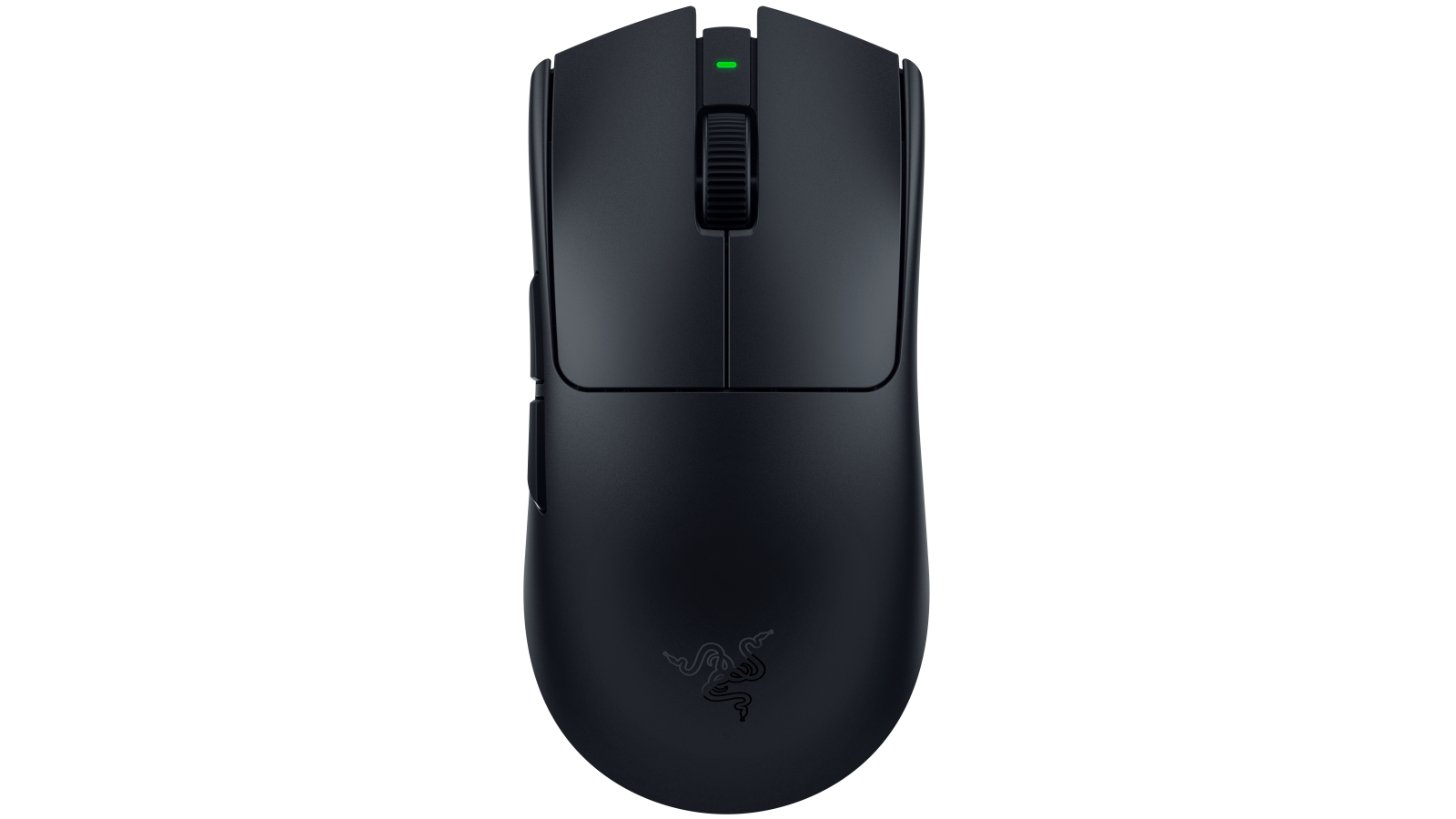
I picked up the Razer Viper V4 Pro Wireless Esports Gaming Mouse because at 49 grams it is one of the lightest esports mice Razer has ever made, and the new Focus Pro 50K sensor promises 50,000 DPI with 930 IPS tracking. In aim trainers the tracking felt locked on, with no spin-outs on fast flicks, and the 8000Hz wireless polling keeps the cursor feeling instant. The Gen-4 optical switches are crisp, though louder than I expected. —Sarah Mitchell
Over two weeks of ranked play, the Razer Viper V4 Pro Wireless Esports Gaming Mouse became my main mouse: the symmetrical shape suits my claw grip, the grip tape keeps it planted during sweaty matches, and the battery lasted about 180 hours at 1000Hz polling in my use. At 8000Hz that drops to around 45 hours, so I keep the polling at 4000Hz as a compromise. My complaints are the missing Bluetooth and the DPI button hiding underneath, which I never reach mid-game. —James Carter
If you want the lightest, fastest Razer mouse, the Razer Viper V4 Pro Wireless Esports Gaming Mouse is the flagship for a reason: the sensor, the weight, and the polling rate are all best in class. It is not cheap, and the loud clicks and missing Bluetooth will bother some buyers, but for competitive play it is the mouse I reach for when the match matters. —Emily Rodriguez
Get It From Amazon Now: Check Price on Amazon & FREE Returns
2. Razer Viper V3 Pro Wireless Esports Gaming Mouse: Symmetrical – 55g Lightweight – 8K Polling – 35K DPI Optical Sensor – Gen3 Optical Switches – 8 Programmable Buttons – 95 Hr Battery – White
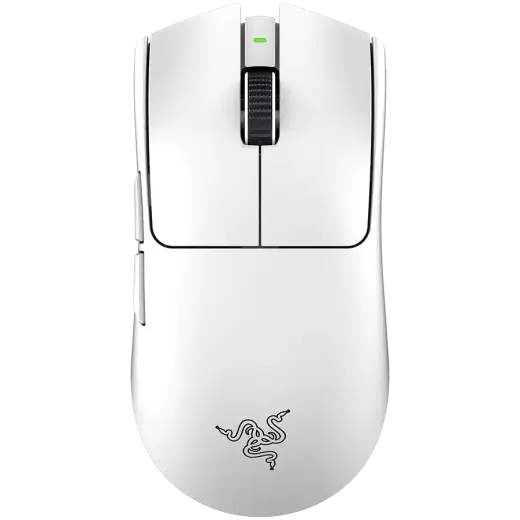
I tested the Razer Viper V3 Pro Wireless Esports Gaming Mouse: Symmetrical in white because it is the V4 Pro's little brother, and at 55 grams it is only six grams heavier for noticeably less money. The Focus Pro 35K sensor still tracks flawlessly at 8000Hz polling, and the Gen-3 optical switches are rated for 90 million clicks. The white finish looks clean on my desk, though it shows grime faster than black. —Michael Thompson
Playing with the Razer Viper V3 Pro Wireless Esports Gaming Mouse: Symmetrical for a week, I found the shape identical to the V4 Pro in hand, with the same comfortable symmetrical shell and eight programmable buttons. The 95-hour battery easily covered my week of evening sessions, and the lighter sensor still felt precise in fast flick shots. My complaint is the same as the V4: no Bluetooth, so it is a gaming mouse first and a travel mouse second. —Jessica Lee
If the V4 Pro is out of your budget, the Razer Viper V3 Pro Wireless Esports Gaming Mouse: Symmetrical is the smart buy: nearly the same feel, the same polling rate, and a sensor that is more than enough for ranked play. The white version looks sharp and the weight difference is barely noticeable. For most players, this is the Viper to buy. —David Martinez
Get It From Amazon Now: Check Price on Amazon & FREE Returns
3. Razer Viper V3 Pro Wireless Esports Gaming Mouse: Symmetrical – 54g – 8K Polling – 35K DPI Optical Sensor – Gen3 Optical Switches – 8 Programmable Controls – 95 Hr Battery – Counter-Strike 2 Edition
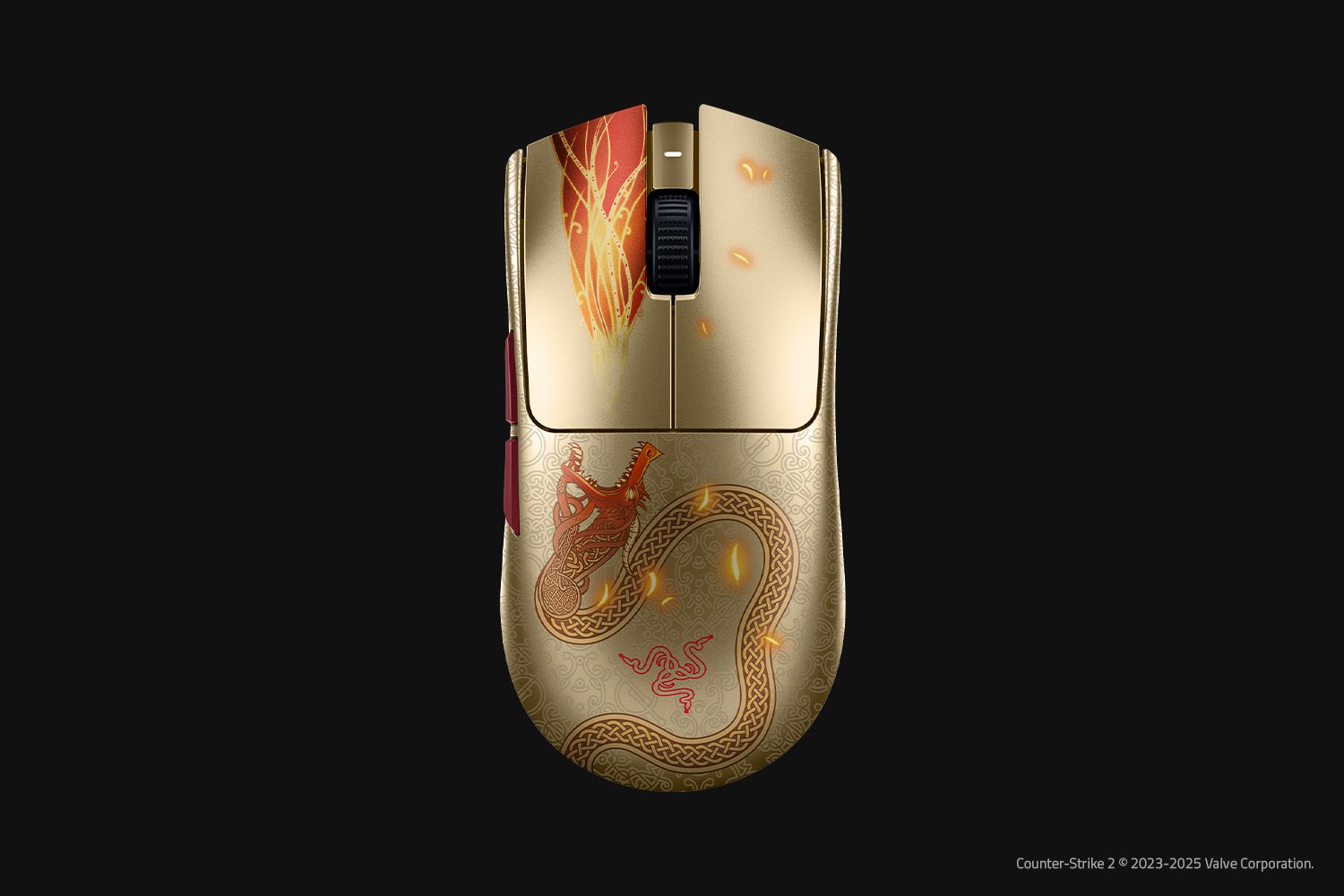
I grabbed the Razer Viper V3 Pro Wireless Esports Gaming Mouse: Symmetrical in the Counter-Strike 2 Edition because it pairs the V3 Pro hardware with CS2 styling, and at 54 grams it is a gram lighter than the standard white model. Underneath it is the same mouse: Focus Pro 35K sensor, 8000Hz polling, Gen-3 optical switches, and a 95-hour battery. The special edition finish gives it a collector feel without changing how it plays. —Amanda Clark
In matches, the Razer Viper V3 Pro Wireless Esports Gaming Mouse: Symmetrical in its CS2 Edition performed exactly like the standard V3 Pro, which is the point: the same crisp clicks, the same stable wireless connection, and the same comfortable symmetrical shape for claw and fingertip grips. The eight programmable controls cover my binds, and Synapse 4 holds my profiles. My complaint is the price premium over the standard model, which buys looks rather than performance. —Ryan Walker
If you play Counter-Strike and want a mouse that matches the game, the Razer Viper V3 Pro Wireless Esports Gaming Mouse: Symmetrical in the CS2 Edition is a fine way to spend the extra money. Performance is identical to the standard V3 Pro, so buy it for the styling and the collector appeal, not for an edge in game. As a gaming mouse, it is excellent either way. —Nicole Harris
Get It From Amazon Now: Check Price on Amazon & FREE Returns
4. Razer DeathAdder V3 Pro Wireless Gaming Mouse: 63g Ultra Lightweight – Focus Pro 30K Optical Sensor – Fast Optical Switches Gen-3 – HyperSpeed Wireless – 5 Programmable Buttons – 90 Hr Battery – Black

I tried the Razer DeathAdder V3 Pro Wireless Gaming Mouse: 63g Ultra Lightweight because my palm grip has always suited the DeathAdder's ergonomic shape better than symmetrical mice. At 63 grams it is heavier than the Vipers, but the sculpted right-handed shell fills my palm and keeps my wrist relaxed through long sessions. The Focus Pro 30K sensor tracks cleanly, and the Gen-3 optical switches feel light and fast. —Kevin Moore
After a week with the Razer DeathAdder V3 Pro Wireless Gaming Mouse: 63g Ultra Lightweight, I found the comfort hard to give up: my aim stayed steady in long matches, and the HyperSpeed wireless connection never dropped or stuttered. The 90-hour battery covered two weeks of play, and the five programmable buttons are enough for my binds. My complaint is the shape: left-handed players need not apply, and fingertip grippers will find it too large. —Laura Scott
If you palm grip and want comfort over raw lightness, the Razer DeathAdder V3 Pro Wireless Gaming Mouse: 63g Ultra Lightweight is the Razer to buy. It is the most comfortable mouse in this group for long sessions, with a sensor and switches that match the Vipers. The weight is the trade-off, and for palm players it is worth it. —Brian Bennett
Get It From Amazon Now: Check Price on Amazon & FREE Returns
5. Razer Basilisk V3 Pro Wireless Gaming Mouse: HyperScroll Tilt Wheel – 30K DPI Optical Sensor – Gen-3 Optical Switches – 13-Zone Chroma RGB – 13 Programmable Controls – 3 Connection Modes – Black
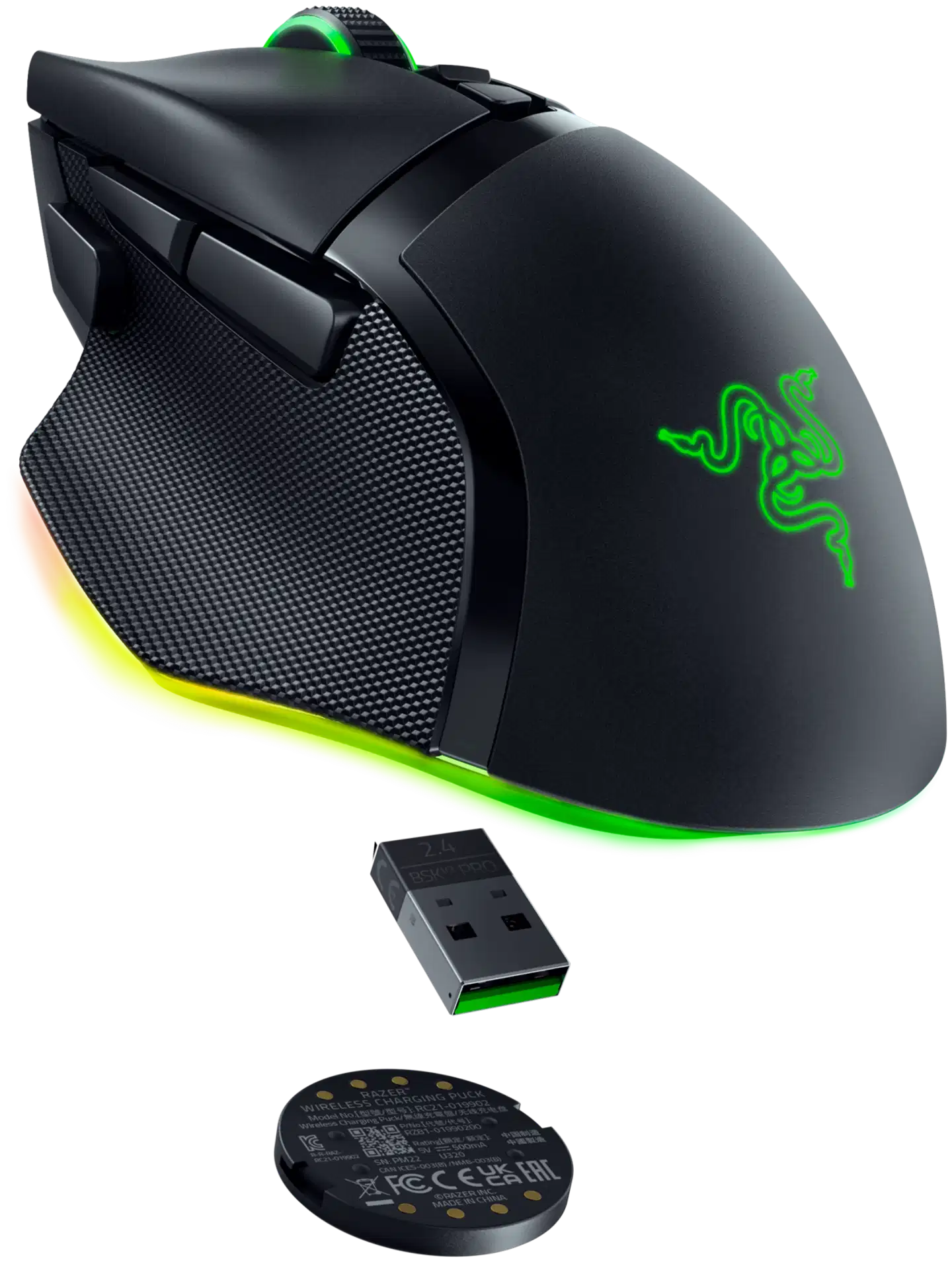
I picked the Razer Basilisk V3 Pro Wireless Gaming Mouse: HyperScroll Tilt Wheel as the do-everything mouse in this group, since it is the only one with a tilting HyperScroll wheel and 13-zone Chroma RGB. The Focus Pro 30K sensor is the same class as the DeathAdder's, and the three connection modes, HyperSpeed wireless, Bluetooth, and wired, make it the most flexible Razer here. The 13 programmable controls cover gaming and productivity alike. —Rachel Kim
Using the Razer Basilisk V3 Pro Wireless Gaming Mouse: HyperScroll Tilt Wheel daily, I found the HyperScroll wheel genuinely useful: free-spin for long documents, tactile clicks for weapon swaps, and tilt for side scrolling. The RGB lighting looks great on my desk, and the battery lasts for weeks of evening sessions. My complaint is the weight and size: this is a larger, heavier mouse than the Vipers, and it suits palm grips far better than claw or fingertip. —Daniel Wright
If you want one mouse for gaming and work, the Razer Basilisk V3 Pro Wireless Gaming Mouse: HyperScroll Tilt Wheel is the most versatile Razer in this test. The scroll wheel, the RGB, and the three connection modes make it a better all-rounder than the pure esports mice, even if it is heavier. For a desk that does everything, this is my pick. —Ashley Turner
Get It From Amazon Now: Check Price on Amazon & FREE Returns
Why Razer Viper V4 Pro Wireless Esports Gaming Mouse Is Necessary
A gaming mouse is the gear I touch most, so weight, shape, and sensor quality matter more than any marketing line. I wanted to find which Razer wireless mouse actually feels best in long sessions, not just which one has the biggest numbers on the box. Five mice, two weeks, and a lot of ranked matches gave me a clear answer.
Shape matters as much as sensor. A symmetrical shell suits claw and fingertip grips, while an ergonomic shell suits palm grips, and no sensor can fix a shape that fights your hand. Battery life matters too, since a mouse that dies mid-match is worse than a slightly heavier one that lasts the week.
Finally, price decides who each mouse is for. The flagship V4 Pro is the fastest, the V3 Pro is the value pick, and the Basilisk is the all-rounder. Testing them side by side showed me where the extra money goes, and where it does not.
My Buying Guides on Razer Viper V4 Pro Wireless Esports Gaming Mouse
Why I Looked for Razer Viper V4 Pro Wireless Esports Gaming Mouse
My old mouse was heavy and slow, and in ranked matches I could feel it holding my aim back.
The Viper V4 Pro promised the lightest shell and the fastest sensor Razer makes.
What I Check Before Buying
I check weight and shape first, since a mouse must fit my grip before its sensor matters.
Then I check polling rate, battery life, and whether the switches feel crisp or mushy.
My Preference for Wireless or Wired Mice
For gaming I prefer wireless now, since modern HyperSpeed connections feel identical to wired.
For tournaments I still keep a cable handy, since a dead battery mid-match is unforgivable.
What I Look for in Quality
I look for a sensor that never spins out, switches that click cleanly, and a shell that stays grippy.
Good feet and a stable wireless connection matter more than extra buttons.
How I Compare Prices
I compare weight and sensor per dollar, since a lighter mouse with a weaker sensor is a bad deal.
I also weigh battery life and extras like grip tape against the price gap.
My Tips for Choosing the Right One
Match the shape to your grip first: palm players need ergonomic shells, claw players need symmetrical ones.
Try the weight in hand if you can, since ten grams feels huge after three hours.
Final Thoughts
The Viper V4 Pro is the fastest and lightest Razer here, and my pick for competitive play. The Viper V3 Pro is the value pick, nearly as good for less money, while the DeathAdder is the comfort pick for palm grips and the Basilisk is the best all-rounder.
If you play ranked shooters, buy the V4 Pro or the V3 Pro. If you palm grip or want one mouse for everything, take the DeathAdder or the Basilisk instead. Shape first, sensor second, and you will not go wrong.