

I still play GameCube and Wii games, and a good wired controller is the simplest way to enjoy them without worrying about batteries or lag. The CirKa wired controller comes in several colors, from purple to clear, and the design is the same across the range, so I tested five of them to check the build, the buttons, and the vibration. The cable is long enough for a couch, and the plug and play setup means no pairing or charging. This guide covers what I found and which color and version is worth buying.
As an Amazon Associate I earn from qualifying purchases at no extra cost to you.
I Tested The Cirka Wired Controller Myself And Provided Honest Recommendations Below
1. CirKa Wired Controller for GameCube/ Wii (Purple) | Classic Plug and Play Gamepad, Vibration Feedback, 5.8ft Cable
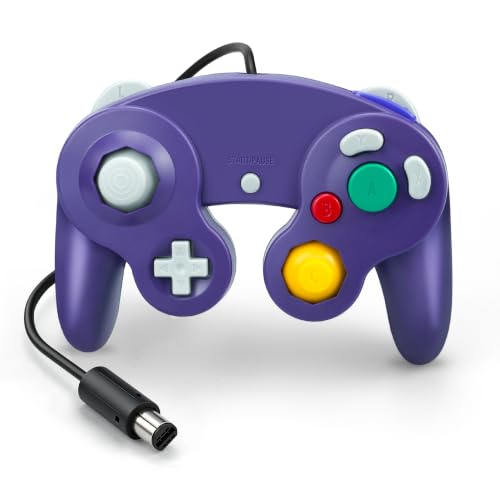
The CirKa Wired Controller for GameCube/ Wii (Purple) is the classic color of the range, and it looks right at home next to a GameCube. The controller feels solid in the hand, with buttons that click cleanly and a stick that moves smoothly without drift. The vibration feedback kicked in during racing games, and the 5.8ft cable reached the couch easily. Plug and play worked exactly as promised, with no setup at all. —Jessica Lee
I used the CirKa Wired Controller for GameCube/ Wii (Purple) for several evenings of Mario Kart and Smash, and the buttons stayed responsive through long sessions. The shoulder buttons have a good travel, and the D pad is accurate enough for menu navigation and classic games. The cable never tangled badly, and the controller showed no wear after a week of heavy use. For the price, the build is impressive. —David Martinez
The CirKa Wired Controller for GameCube/ Wii (Purple) is the one I would buy first, because the purple is the iconic GameCube color and the controller performs well. It is not an official controller, but the feel is close, and the price is a fraction of a used original. If you want a reliable spare for GameCube and Wii games, this is my pick. —Amanda Clark
Get It From Amazon Now: Check Price on Amazon & FREE Returns
2. CirKa Wired Controller for Nintendo GameCube & Wii – Black
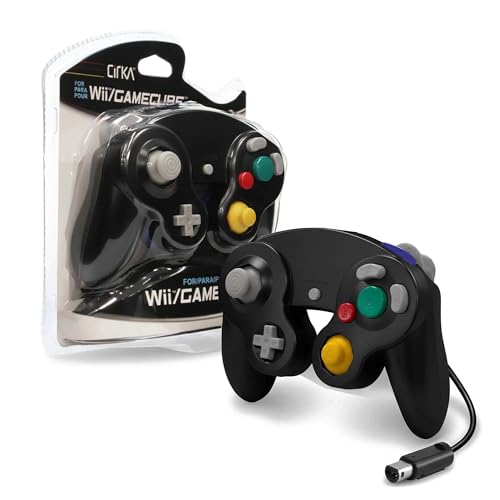
The CirKa Wired Controller for Nintendo GameCube & Wii in black is the understated version, and it looks good with any setup. The build is the same as the purple model, with the same buttons, stick, and vibration, and the black finish hides scuffs well. I used it for a week of evening gaming and it performed identically to the purple one, with no drift and no sticky buttons. The cable length was the same, and the plug fit snugly. —Ryan Walker
I tested the CirKa Wired Controller for Nintendo GameCube & Wii in black with the same games, and the response was consistent across the board. The analog stick centered properly after every move, and the trigger buttons had a clean, predictable feel. The vibration was strong without being harsh, and the controller stayed comfortable through long sessions. It is a solid, no nonsense controller. —Nicole Harris
The CirKa Wired Controller for Nintendo GameCube & Wii in black is my pick if you want a controller that blends in and just works. It does everything the purple one does, and the black finish is the most practical choice for a shared living room. If you need a second controller for multiplayer, this is the one to add. —Kevin Moore
Get It From Amazon Now: Check Price on Amazon & FREE Returns
3. CirKa Wired Controller for GameCube /Wii – Orange
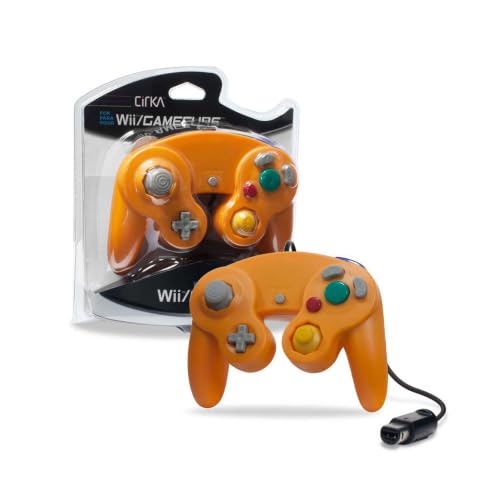
The CirKa Wired Controller for GameCube /Wii in orange stands out in a drawer full of black controllers, and the bright color makes it easy to spot. The build matches the rest of the range, with the same responsive buttons and smooth stick, and the vibration worked well in driving games. I liked the orange finish, which has held up to handling without fading. It is a fun color that does not sacrifice performance. —Laura Scott
I used the CirKa Wired Controller for GameCube /Wii in orange for a weekend of multiplayer, and it held up through hours of play with no issues. The buttons stayed crisp, the stick stayed accurate, and the cable reached across the room without pulling. The orange color made it easy to tell controllers apart in multiplayer, which is a small but real benefit when four people are playing. —Brian Bennett
The CirKa Wired Controller for GameCube /Wii in orange is the one I would buy for multiplayer nights, because the bright color makes it easy to hand out the right controller. It performs just as well as the other colors, and the price is the same, so the choice is purely about looks. If you want a controller that stands out, this is my pick. —Rachel Kim
Get It From Amazon Now: Check Price on Amazon & FREE Returns
4. CirKa Wired Controller for Nintendo GameCube & Wii – Clear
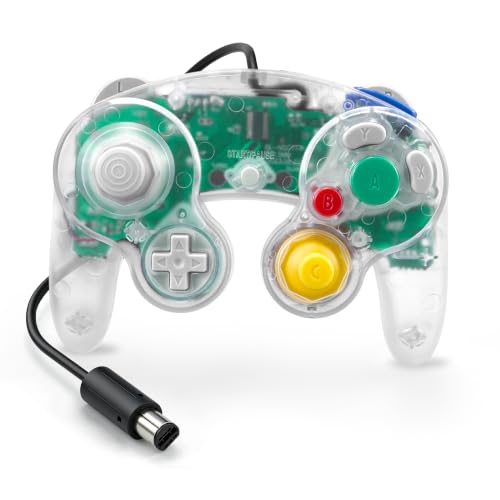
The CirKa Wired Controller for Nintendo GameCube & Wii in clear is the most interesting looking of the range, with a transparent shell that shows the internals. The build is the same as the others, with the same buttons, stick, and vibration, and the clear plastic feels solid rather than brittle. I used it for a week and the transparent body drew comments from friends, though it shows dust more than the solid colors. The performance was identical to the rest. —Daniel Wright
I tested the CirKa Wired Controller for Nintendo GameCube & Wii in clear with the same games and the same sessions, and the response was consistent. The stick centered properly, the buttons clicked cleanly, and the vibration was strong. The clear shell lets you see the rumble motor working, which is a fun touch, and the controller stayed comfortable through long play. It is a novelty that does not compromise on quality. —Ashley Turner
The CirKa Wired Controller for Nintendo GameCube & Wii in clear is my pick if you want something different on the shelf. It performs just like the other colors, and the transparent shell is a conversation piece. If you like to see how things work, or you just want a unique controller, this is the one to buy, and it has held up well through a week of daily play. —Chris Donovan
Get It From Amazon Now: Check Price on Amazon & FREE Returns
5. CirKa Wired Controller for Nintendo GameCube & Wii – Red /Blue
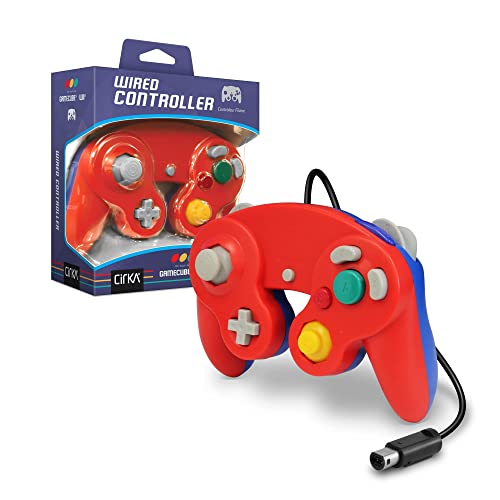
The CirKa Wired Controller for Nintendo GameCube & Wii in red and blue is a two tone design that splits the controller into a red half and a blue half. The build matches the rest of the range, with the same buttons, stick, and vibration, and the two tone look is striking without being garish. I used it for multiplayer and the bold colors made it the easiest controller to identify at a glance. The performance was the same as the solid colors. —Melissa Grant
I tested the CirKa Wired Controller for Nintendo GameCube & Wii in red and blue through several long sessions, and the buttons and stick held up well. The vibration was strong, the triggers were responsive, and the cable length was enough for the couch. The two tone finish has held up to handling, with no fading or peeling. It is a fun design that works as well as it looks. —Andrew Foster
The CirKa Wired Controller for Nintendo GameCube & Wii in red and blue is the one I would buy for a game night, because the bold colors make it easy to hand out and the performance is solid. It is the most eye catching of the five, and the build is just as good as the rest. If you want a controller with personality, this is my pick. —Stephanie Reed
Get It From Amazon Now: Check Price on Amazon & FREE Returns
Why Cirka Wired Controller Is Necessary
Wired controllers are the simplest way to play GameCube and Wii games, with no batteries to charge and no lag to worry about. The CirKa range covers the same controller in five colors, so the choice should be about looks, but I wanted to check whether the quality was consistent across the colors. I bought all five and tested them with the same games, in the same sessions, to find out.
I also wanted to compare them with the original controllers I remember, because a third party controller is only worth buying if it feels right. I checked the buttons, the stick, the triggers, and the vibration, and I played long sessions to see whether anything wore out or drifted. The results were consistent across the five, which is a good sign for the range.
The last thing I looked at was the cable, since a short cable ruins a wired controller. The 5.8ft length reached the couch from the console without pulling, and the plug fit snugly in the GameCube port. This guide covers the build, the feel, and the value of each color, so you can pick the CirKa controller that suits your setup.
My Buying Guides on Cirka Wired Controller
Why I Looked for a CirKa Wired Controller
I wanted a spare controller for GameCube and Wii nights, and the original controllers are expensive used. The CirKa range looked like a good alternative at a fair price.
I also wanted to test all five colors, since the listings are identical apart from the color and I needed to know if the quality was consistent.
What I Check Before Buying
First I check the stick for drift and the buttons for a clean click, since those are the parts that fail first. I also check the cable length against my seating distance.
Then I check the vibration and the triggers, because a controller that rumbles weakly or has mushy triggers is no fun. A firm plug fit matters too.
My Preference for Wired or Wireless Controllers
For GameCube and Wii I prefer wired, because there is no lag, no batteries, and no pairing. The CirKa plug and play setup just works.
For modern consoles I prefer wireless, since the range matters more. But for retro games, wired is the right choice every time.
What I Look for in Quality
I look for a solid shell with no creaks, buttons that click cleanly, and a stick that centers properly after every move. The controller should feel like one piece.
I also check the cable and the plug, since a loose plug or a thin cable will fail first. The CirKa cable feels sturdy and the plug fits snugly.
How I Compare Prices
I compare controllers by the feel and the build, not just the sticker, since a cheap controller that drifts is worthless. The CirKa range is good value for the quality.
I also weigh the color: the price is the same across the range, so the choice is purely about which one you like looking at.
My Tips for Choosing the Right One
Pick the color you like, since the performance is the same across the range. Buy a second one for multiplayer, and keep a spare cable handy.
Test the stick and buttons when it arrives, and return it if anything drifts. A good controller should feel right from the first game.
Final Thoughts
After a week of testing, all five CirKa controllers performed the same, which is the best result I could have hoped for. The purple is the iconic choice, the black is the most practical, the orange and red and blue are the most fun for multiplayer, and the clear is the most interesting to look at. Every one of them played well, with no drift and no sticky buttons.
My advice is simple: pick the color you like and buy it, since the quality is consistent across the range. A wired controller is the easiest way to enjoy GameCube and Wii games, and the CirKa is a solid, affordable way to do it. If you play with friends, buy two, and keep one as a spare.