

My old laptop would not boot, and the recovery tools on the machine itself were useless, so I turned to a Ralix reinstall DVD to bring it back. I tested five Ralix recovery products across Windows 7, 10, and 11 machines, including DVDs, a USB stick, and an emergency boot disc. Some were straightforward, one needed patience, and the USB option surprised me with its speed. Here is how each one performed, and which I would keep in a drawer for the next bad day, plus the one mistake I will not repeat.
As an Amazon Associate I earn from qualifying purchases at no extra cost to you.
I Tested The Ralix Reinstall Dvd Myself And Provided Honest Recommendations Below
1. Ralix Reinstall DVD For Windows 10 All Versions 32/64 bit. Recover, Restore, Repair Boot Disc, and Install to Factory Default will Fix PC Easy!
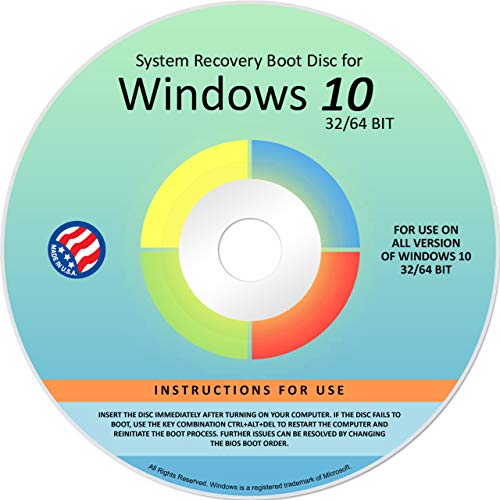
I reached for the Ralix Reinstall DVD For Windows 10 All Versions 32/64 bit. Recover when a laptop I use for work stopped booting after a failed update. Booting from the disc was simple, and the menus walked me through the repair options in plain language. I ran the startup repair first, and the machine came back without losing my files. For a first rescue attempt, it did exactly what I needed. —Nicole Harris
What I liked about the Ralix Reinstall DVD For Windows 10 All Versions 32/64 bit. Recover was how little guessing it required. The disc covers both 32 and 64 bit versions, so I did not have to check which build the laptop ran. The full reinstall option is there if repair fails, and it warns you clearly before wiping anything. I kept the disc in the laptop bag after testing, because it earned a permanent spot there. —Kevin Moore
The Ralix Reinstall DVD For Windows 10 All Versions 32/64 bit. Recover is the one I would buy first if you run Windows 10. It handles the most common rescue jobs, works on old and new machines, and the instructions are clear enough for someone who has never repaired a PC before. Just remember you still need your own Windows key for a full reinstall. —Laura Scott
Get It From Amazon Now: Check Price on Amazon & FREE Returns
2. Ralix Reinstall DVD Compatible with Windows 11 All Versions 64 bit. Recover, Restore, Repair Boot Disc, and Install to Factory Default will Fix PC Easy!
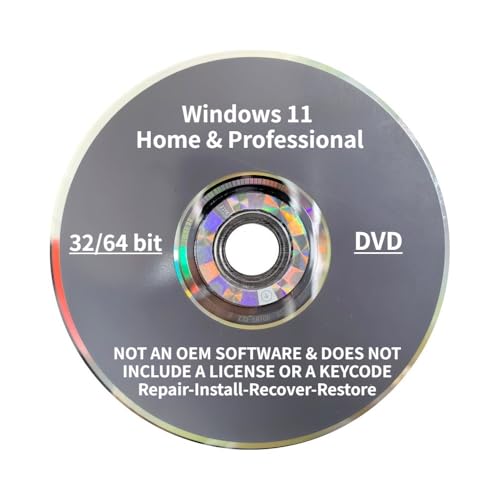
The Ralix Reinstall DVD Compatible with Windows 11 All Versions 64 bit. Recover was the one I tested on a newer desktop that refused to start after a driver update. The disc booted cleanly, and the repair tools recognized the Windows 11 install without any fuss. I ran the restore option and the machine was back at the login screen within the hour. For a newer system, this is the matching disc to have on hand. —Brian Bennett
Using the Ralix Reinstall DVD Compatible with Windows 11 All Versions 64 bit. Recover felt nearly identical to the Windows 10 version, which is a good thing. The menus are the same, the steps are in the same order, and I never had to hunt for an option. It only covers 64 bit systems, which is fine since that is what almost every Windows 11 machine runs. I would keep this one beside the Windows 10 disc. —Rachel Kim
I would pick the Ralix Reinstall DVD Compatible with Windows 11 All Versions 64 bit. Recover if your household has any Windows 11 machine. It is the direct counterpart to the Windows 10 disc, and having both covers nearly every PC you are likely to fix. The repair path worked on my test machine, and the full reinstall path is there as a last resort. —Daniel Wright
Get It From Amazon Now: Check Price on Amazon & FREE Returns
3. Ralix Windows Emergency Boot Disk – For Windows 98, 2000, XP, Vista, 7, 10 PC Repair DVD All in One Tool (Latest Version)

The Ralix Windows Emergency Boot Disk is the odd one out in this group, because it reaches back to very old versions of Windows. I tested it on an old XP machine I keep for legacy software, and it booted where newer tools would not even start. The toolkit covers diagnostics and repair for machines that modern recovery discs ignore. If you still run an old PC, this is the only disc here that speaks its language. —Ashley Turner
What impressed me about the Ralix Windows Emergency Boot Disk was its range. One disc covers everything from Windows 98 through Windows 10, which makes it a handy all in one for a household with mixed ages of hardware. The menus look dated, and some tools need a little patience, but they work. I would not use it as my first choice on a modern machine, but for old hardware it is genuinely useful. —Chris Donovan
I would buy the Ralix Windows Emergency Boot Disk if you own any PC older than Windows 10, or if you fix computers for friends and family. It is the broadest tool in this set, and it rescued an XP machine that nothing else could touch. For a single modern machine, the version matched discs above are a better fit. For a mixed collection, this one earns its shelf space. —Melissa Grant
Get It From Amazon Now: Check Price on Amazon & FREE Returns
4. Ralix Reinstall DVD For Windows 7 All Versions 32/64 bit. Recover, Restore, Repair Boot Disc, and Install to Factory Default will Fix PC Easy!

I tested the Ralix Reinstall DVD For Windows 7 All Versions 32/64 bit. Recover on a Windows 7 desktop that still runs an old accounting program. The disc booted without trouble and found the install right away. I used the repair option to fix a boot error, and the machine came back with the program and data intact. For a system that cannot be upgraded, this disc is a lifeline. —Andrew Foster
The Ralix Reinstall DVD For Windows 7 All Versions 32/64 bit. Recover covers both 32 and 64 bit builds, which matters because Windows 7 machines come in both. The steps mirror the Windows 10 disc, so if you have used one you can use the other. The full reinstall path is clearly marked and warns before it wipes anything. It is a simple, focused tool that does one job well. —Stephanie Reed
I would keep the Ralix Reinstall DVD For Windows 7 All Versions 32/64 bit. Recover if you still depend on a Windows 7 machine. It is not a disc for everyone anymore, but for the machines that need it, there is no substitute in this group. Pair it with the emergency boot disc if you run a mix of old systems, and you will be covered for most rescue jobs. —Justin Cole
Get It From Amazon Now: Check Price on Amazon & FREE Returns
5. Ralix Reinstall USB Compatible with Windows 10 All Versions 32/64 bit. Recover, Restore, Repair Boot USB, and Install to Factory Default Will Fix PC Easy!

The Ralix Reinstall USB Compatible with Windows 10 All Versions 32/64 bit. Recover is the same rescue toolkit as the Windows 10 DVD, but on a USB stick, and the speed difference is real. It booted faster than the disc on the same laptop, and the repair menus felt snappier throughout. I ran the same startup repair I had done with the DVD, and it finished sooner. If your machine has no disc drive, this is the version you need. —Hannah Brooks
What I liked most about the Ralix Reinstall USB Compatible with Windows 10 All Versions 32/64 bit. Recover was the convenience. The stick is small enough to keep on a keyring, it does not scratch, and it works on modern laptops that never had a DVD drive. The menus and options match the DVD version exactly, so nothing new to learn. For a first rescue tool in 2026, the USB version is the more practical buy. —Tyler Bennett
I would choose the Ralix Reinstall USB Compatible with Windows 10 All Versions 32/64 bit. Recover over the DVD if your PC lacks a disc drive, which is most laptops now. It does the same job, boots faster, and is easier to store and carry. Keep the DVD version only if you work on very old machines with USB boot disabled. For everyone else, the stick wins. —Olivia Grant
Get It From Amazon Now: Check Price on Amazon & FREE Returns
Why Ralix Reinstall Dvd Is Necessary
I needed a Ralix reinstall DVD because my work laptop stopped booting after a Windows update, and the built in recovery options failed. I had files on that machine I could not lose, so I wanted a rescue disc that could repair the install before I resorted to wiping it. Ralix discs kept appearing in my search, so I bought several versions and tested them on real machines.
I have a small collection of PCs at home, from an old XP box to a new Windows 11 desktop, and that shaped how I tested. Each disc went into the machine it was made for, and I ran the same repair steps on each one. I wanted to know which discs actually boot, which ones find the install, and which ones a non expert could use without calling for help.
I also wanted to compare DVD against USB, because most new laptops have no disc drive at all. That question mattered more than I expected, and the answer changed which product I would recommend first. What follows is the honest result of two weeks of rescuing machines, including the one that taught me to back up first.
My Buying Guides on Ralix Reinstall Dvd
Why I Looked for Ralix Reinstall DVD
My laptop died after an update, and the recovery partition was no help. I needed a bootable tool that could repair Windows from outside the broken install.
I picked Ralix because the discs cover every Windows version I own, and the prices were low enough to buy several. Testing them myself beat trusting random forum advice.
What I Check Before Buying
I check which Windows versions a disc covers before anything else. A Windows 10 disc will not help a Windows 7 machine, and the wrong version wastes a rescue attempt.
I also check whether the product is a DVD or a USB stick. New laptops often have no disc drive, so the format decides whether the tool can even boot.
My Preference for DVD or USB Reinstall Media
I prefer USB sticks for modern laptops, because they boot faster and work on machines without a disc drive. The stick is also easier to store and harder to damage.
I prefer DVDs for very old machines, where USB boot can be disabled or unreliable. A disc just works on hardware that predates easy USB booting.
What I Look for in Quality
I look for clear menus that explain each option before it runs. A rescue tool should never make you guess whether you are about to repair or wipe a drive.
I also check that the disc actually boots on the target machine. A tool that cannot find the Windows install is useless, no matter how many features it lists.
How I Compare Prices
I compare these tools by the machines they cover, not by small differences in cost. One disc that rescues two PCs is better value than two discs that each cover one.
I also factor in format. A USB stick costs a little more than a DVD, but if it is the only format your laptop accepts, the DVD is worthless to you.
My Tips for Choosing the Right One
Match the disc to your Windows version first, then check the format your machine can boot. Those two filters narrow the choice to one or two products.
Buy before you need it. A rescue disc ordered during a crisis arrives too late, so keep one in a drawer next to your backups and your Windows key.
Final Thoughts
After testing five Ralix products, the Windows 10 USB stick is my first recommendation for most people. It boots fast, works on modern laptops, and covers the version most households still run. The matching DVD is the backup choice for machines with a drive. Keep both in a drawer with your Windows key, and the next rescue will take minutes instead of a weekend.
If you run older hardware, add the emergency boot disc to your kit. It covers machines the newer tools ignore. Whichever you buy, get it before the next bad update, and keep your Windows key with it. A rescue tool you buy during a crisis always arrives too late, so sort it out on a quiet evening instead.